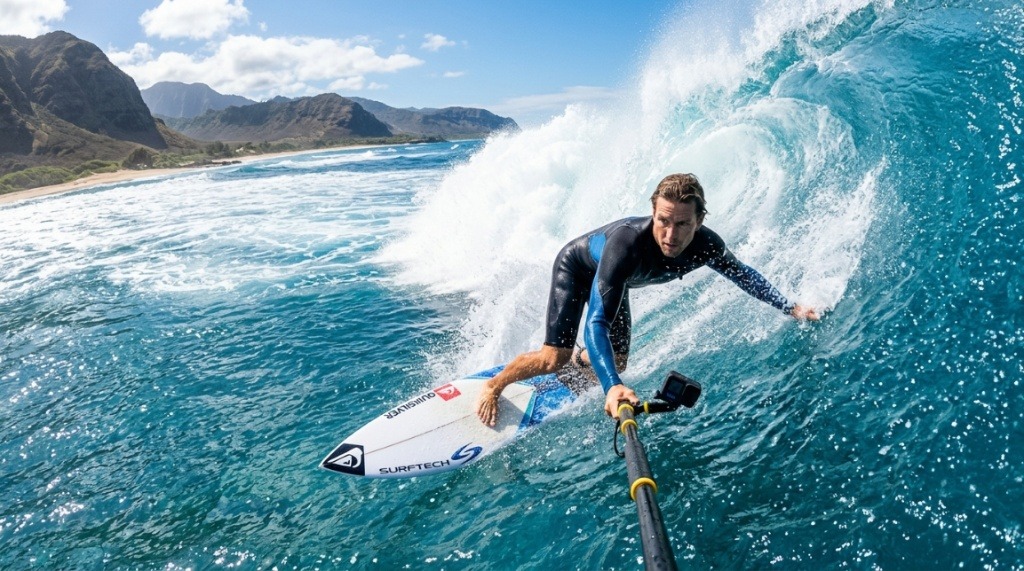
You’ve paddled out at dawn, watched the glassy face form ahead of you, and thought, I need to capture this. But between the salt spray, the constant motion, and the inevitable drops, most electronics don’t stand a chance. Buying a durable camera for surf and snorkeling isn’t just about picking the most expensive model on the shelf. It’s about understanding waterproofing ratings, lens quality underwater, and how the camera handles in your hands when they’re wet and cold. This guide breaks down exactly what to look for, what to avoid, and how to match a camera to the way you actually ride waves or explore reefs.
What Makes a Camera Truly Durable for Surf and Snorkel?
Durability in this context isn’t just about surviving a drop. It’s about surviving repeated exposure to saltwater, sand, and impact. A camera that works fine at the pool can fail within weeks in the ocean if it isn’t built for the specific stresses of surf and snorkel use.
First, you need a camera with a high IP rating. Look for IP68 certification, which means the device is fully protected against dust and can be submerged beyond one meter for extended periods. But don’t stop there. The real test is the depth rating. A camera rated for 10 meters is fine for snorkeling, but if you ever plan to free dive or get pushed under by a wave, a rating of 15 meters or more gives you a safety buffer.
Second, consider the housing. Some cameras come with built-in waterproof bodies, while others require an external housing. Built-in bodies are convenient and lighter, but external housings often provide better protection against impact and allow you to swap batteries without exposing the camera to water. For surf, where the camera might get slammed against your board or the sand, a rugged housing adds a layer of protection that a bare camera body simply doesn’t have.
Finally, think about the lens. A flat lens is better for snorkeling because it allows you to shoot sharp images above and below the waterline without distortion. A domed lens, on the other hand, is superior for underwater wide-angle shots but can cause blurriness at the water’s surface. If you plan to do a mix of both, a flat lens with a good wide-angle setting is usually the more versatile choice.
Key Features to Prioritize for Ocean Use
Not all waterproof cameras are created equal. When you’re comparing models, focus on the features that directly impact your experience in the ocean. These are the ones that matter most.
Image Stabilization
In the water, you’re never still. Waves push you, currents pull you, and your hands shake from the cold. Optical image stabilization (OIS) is non-negotiable. It compensates for your movement and keeps your footage smooth. Electronic stabilization can help, but it often crops the image and can struggle in low light. Look for a camera with good OIS, especially if you plan to shoot handheld rather than with a mouth mount or selfie stick.
Battery Life and Swappable Batteries
Cold water drains batteries faster than you might expect. A camera that lasts an hour on land might only last 30 minutes in 60-degree ocean water. Look for a camera with a battery life of at least 90 minutes of continuous recording, and make sure the battery is user-replaceable. Being able to swap in a fresh battery between surf sessions is far more practical than relying on a built-in battery that requires you to wait for a recharge.
Physical Buttons
Touchscreens are great on land, but they’re nearly useless in the water. Your fingers are wet, and the screen often has water droplets on it that cause phantom touches. A camera with physical buttons for the essential functions—record, shutter, and mode switching—is essential. You should be able to operate the camera without looking at it, especially if you’re wearing gloves or trying to hold onto your board with one hand.
Field of View
A wide field of view is critical for surf photography because you need to capture the wave, the rider, and the sky in a single frame. Look for a camera with a field of view of at least 150 degrees. This allows you to keep the camera close to your body or board while still capturing the full scene. For snorkeling, a slightly narrower field of view can be better for capturing fish and coral without too much background clutter.
How to Choose Between an Action Camera and a Compact Waterproof Camera
This is the biggest decision you’ll make. Action cameras like GoPros are the default choice for surfers, but they aren’t the only option. Compact waterproof cameras, like the Olympus Tough series or the Nikon Coolpix W300, offer a different set of strengths and weaknesses.
Action cameras excel at capturing wide-angle, immersive footage. They’re small, lightweight, and easy to mount on a board, helmet, or wrist. They also have excellent stabilization and are designed to handle vibration and impact. However, their small sensors struggle in low light, and they don’t have optical zoom. If you want to capture a surfer from a distance or zoom in on a sea turtle without scaring it away, an action camera will disappoint you.
Compact waterproof cameras, on the other hand, have larger sensors and optical zoom lenses. They produce sharper images with better color accuracy, especially in bright daylight. They also have physical controls that are easier to use with wet hands. The trade-off is that they’re bulkier, harder to mount, and often have weaker stabilization. If you’re primarily shooting still photos or want to capture detailed underwater life, a compact camera is the better choice. If you want dynamic video of you riding a wave, an action camera is the way to go.
Understanding Depth Ratings and Waterproofing Claims
Manufacturers love to throw around depth ratings, but these numbers can be misleading. A camera rated for 10 meters is not necessarily safe at 10 meters in the ocean. The rating is based on static pressure in a controlled environment. In the ocean, you have waves, currents, and the possibility of impact, all of which can compromise the seals.
As a rule of thumb, buy a camera with a depth rating that is at least double the maximum depth you plan to use it at. If you’re snorkeling at 3 meters, a camera rated for 10 meters is fine. If you’re free diving to 8 meters, you need a camera rated for at least 15 meters. This gives you a safety margin for unexpected drops or pressure changes.
Also, pay attention to how the camera is sealed. Most waterproof cameras use rubber gaskets or O-rings. These need to be cleaned and inspected regularly. A single grain of sand caught in the seal can cause a leak. Before every session, check the seal for debris and make sure it’s properly seated. After every session, rinse the camera in fresh water and dry it thoroughly before opening any compartments.
Common Mistakes to Avoid When Buying an Ocean Camera
Even experienced buyers make mistakes when choosing a camera for ocean use. Here are the most common pitfalls and how to avoid them.
Ignoring the Lens Quality
Many buyers focus on the waterproof rating and completely ignore the lens. A camera with a great sensor but a mediocre lens will produce soft, blurry images. Look for a lens with a wide aperture (f/2.8 or lower) for better low-light performance and a glass lens rather than a plastic one. Plastic lenses scratch easily, and a scratched lens is a permanent problem.
Buying a Camera Without a Screen Protector
The screen is the most vulnerable part of any camera. In the ocean, it’s exposed to sand, salt, and impact. A screen protector is a cheap investment that can save you from a cracked or scratched display. Make sure the protector is compatible with the camera’s touchscreen and doesn’t interfere with the waterproof seal.
Forgetting About Audio
Underwater, audio is mostly useless, but above the waterline, you want to capture the sound of the waves and the rider’s shouts. Most action cameras have poor built-in microphones that pick up wind noise. If audio matters to you, look for a camera with an external microphone input or a good wind-reduction feature. Some cameras have a “wind mode” that filters out background noise, but it can also muffle the sounds you want to capture.
Choosing a Camera Without a Good Mounting System
You can’t hold a camera in your hand while you paddle. You need a reliable mounting system. For surf, a mouth mount is popular because it gives you a stable, first-person perspective. For snorkeling, a wrist strap or a small tripod is more practical. Make sure the camera you choose has a standard mounting thread (like a 1/4-inch tripod mount) and is compatible with the mounts you plan to use, While selecting reliable outdoor recording gear for your water adventures, you might also wonder about household longevity standards; for instance, check out our guide on How long do Security Cameras last to understand device durability across different environments.
How to Maintain Your Camera for Long-Term Durability
Even the most durable camera will fail if you don’t maintain it properly. Saltwater is corrosive, and sand is abrasive. A few minutes of maintenance after each session can extend the life of your camera by years.
After every use in the ocean, rinse the camera thoroughly in fresh water. Pay special attention to the buttons, the lens, and any openings. Don’t just run it under the tap—soak it in a bucket of fresh water for a few minutes to dissolve the salt crystals. Then, dry it with a soft cloth and leave it to air dry completely before storing it.
Once a month, inspect the O-rings and gaskets. If they look dry or cracked, replace them. Most manufacturers sell replacement seals, and they’re cheap compared to the cost of a new camera. Also, check the lens for scratches. If you notice any, use a lens pen or a microfiber cloth to clean it. If the scratch is deep, you may need to replace the lens or the camera.
Finally, store your camera in a cool, dry place. Avoid leaving it in a hot car or in direct sunlight, as heat can degrade the seals and the battery. If you’re not going to use the camera for a few weeks, remove the battery and store it separately.
When you’re ready to start comparing specific models, check out this guide to the durable camera for surf and snorkel options that perform well in real-world Florida conditions. It covers models that have been tested in saltwater and provides practical recommendations based on different budgets and use cases.
What Accessories Do You Really Need?
You don’t need to buy every accessory on the market, but a few essentials will make a big difference in your experience.
- Float strap or handle: If you drop your camera in the ocean, it’s gone. A bright orange float strap keeps it on the surface and makes it easy to spot.
- Anti-fog inserts: Temperature changes cause condensation inside the housing. Anti-fog inserts absorb moisture and keep your lens clear.
- Spare battery: Cold water kills batteries fast. Always carry at least one spare, fully charged battery.
- Microfiber cloth: You’ll need it to wipe water droplets off the lens between shots.
- Memory cards: Buy high-speed cards (UHS-I or UHS-II) with at least 64GB of storage. 4K video eats up space quickly.
Frequently Asked Questions
Can I use a regular action camera for snorkeling?
Yes, but only if it has a waterproof housing or a built-in depth rating of at least 10 meters. Most standard action cameras require an external housing for underwater use. Check the manufacturer’s specifications before submerging any camera.
How deep can a surf camera go?
Most action cameras are rated for 10 meters without a housing. With a housing, they can go much deeper, often up to 60 meters. For snorkeling and most surfing situations, a 10-meter rating is sufficient. If you plan to free dive, look for a camera with a higher rating or use a dedicated dive housing.
Is a touchscreen useful on a waterproof camera?
Touchscreens are useful for setting up shots and reviewing footage on land, but they’re nearly useless in the water. Water droplets cause phantom touches, and wet fingers don’t register well. Look for a camera with physical buttons for underwater operation.
What is the best resolution for surf videos?
4K resolution at 30 frames per second is the sweet spot for surf videos. It gives you enough detail to crop in post-production while keeping file sizes manageable. If you want slow-motion footage, look for a camera that can shoot 1080p at 120 or 240 frames per second.
How do I prevent fogging in my camera housing?
Fogging happens when moisture gets trapped inside the housing. Use anti-fog inserts, and make sure the housing is completely dry before sealing it. Also, avoid opening the housing in humid conditions. If fogging persists, check the O-ring for damage.
Do I need a red filter for underwater photos?
Red light is absorbed by water, so underwater photos often look blue or green. A red filter restores the natural colors, especially at depths below 5 meters. Some cameras have a built-in underwater white balance mode, but a physical red filter is more effective.
Conclusion
Choosing a durable camera for surf and snorkel comes down to understanding your specific needs and the environment you’ll be shooting in. Prioritize image stabilization, physical buttons, and a depth rating that gives you a safety margin. Decide between an action camera and a compact based on whether you’re shooting video or stills. And never underestimate the importance of maintenance—a few minutes of rinsing and drying after each session will keep your camera working for years.
Start with a clear idea of your budget and the type of footage you want to capture. Then, compare models based on the features that matter most for ocean use. With the right camera in your hands, you’ll be ready to capture every wave, every fish, and every moment of your next adventure.